Bedrock PvP isn’t just about smashing your mouse button.
It is all about finding the perfect rhythm!
If you have low ping, you can use timing to deal massive damage.
Ready to stop spamming and start winning your fights? Let’s dive into the beat.
Key Takeaways
- Bedrock PvP uses fixed cooldowns, so spam clicking often leads to wasted hits.
- Low ping allows you to sync your physical clicks perfectly with the server’s tick rate.
- The optimal rhythm for sword damage is usually between 5 and 7 clicks per second.
- Consistency effectively beats raw speed when dealing with network latency.
- Disabling mouse acceleration helps build the muscle memory needed for perfect timing.
Understanding Bedrock PvP Cooldowns: Why Rhythm Matters More Than Raw CPS
Bedrock PvP is special because it doesn’t work exactly like Java Edition. You can’t just spam clicks as fast as possible.
In Bedrock, there’s a fixed cooldown after every hit you land. This is the secret sauce!
If you click too fast, you waste clicks. They don’t register as actual hits. It’s like hitting a drum too quickly after the first beat.
The Magic Number: Attack Cooldown
Every weapon has an attack cooldown. You need to match your clicks to this timing.
Swinging your sword and waiting for the cooldown to reset creates your optimal rhythm.
Hitting the button exactly when the cooldown finishes gives you the highest damage output.
This is why we focus on rhythm, not just raw Clicks Per Second (CPS).
Why Raw CPS Fails in Bedrock
Java players often struggle here. They bring their high CPS methods to Bedrock.
High CPS only helps if you are fighting something with no cooldown. That is rare in PvP.
For a sword in Bedrock, the sweet spot is usually around 5-7 CPS. Anything more is often wasted effort.
We need consistency in our taps, not just speed.

Data Snapshot: Attack Cooldown vs. CPS Efficiency
Let’s look at how efficiency drops when you click way above the required rate for a standard sword hit.
| Target CPS (Sword) | Effective Hit Rate | Efficiency Lost |
|---|---|---|
| 5 CPS | 100% | 0% |
| 8 CPS | ~85% | 15% |
| 12 CPS | ~60% | 40% |
| 15+ CPS | Less than 50% | 50%+ |
If you want to learn more about maximizing your weapon use, check out our guide on Sweep N Slash Addon: Best Bedrock Combat Builds Guide.
Connecting Ping to Rhythm Clicking
Now, how does low ping fit into this rhythm game?
Low ping means your button press registers quickly on the server. This is vital for rhythm.
If your ping is high, you might press the button “on time” locally, but the server sees it late.
This causes you to miss the perfect window for the next swing.
A high ping user clicking too fast will look like they are spamming, but they are just battling a delay.
Low ping allows you to actually execute the precise, rhythmic pattern you practiced offline.
Here is some data showing typical latency from various regions to common Minecraft servers.
Bar chart showing average Minecraft PvP server latency in milliseconds (ms) by geographical region. Western Europe shows the lowest latency.
The Rhythm Clicker’s Mindset
Think of rhythmic clicking like a metronome. Your goal is perfect timing.
It is better to click consistently at 7 CPS with perfect timing than wildly between 5 and 15 CPS.
This consistency translates directly into reliable knockback and damage trade-offs.
If you struggle with your timing, sometimes adjusting your mouse settings helps.
You might want to look into Optimal Mouse DPI & Polling Rate for Minecraft PvP Aim.
Do you find it easier to maintain a slow, steady rhythm, or can you only succeed with rapid, inconsistent clicking?
Deconstructing Bedrock’s Attack Cooldown Mechanics (Tick Rate & Netcode)
Understanding Game Ticks and Server Rate
To really nail rhythm clicking, you must know how Minecraft works.
Everything in Minecraft moves on a timer called a “tick.”
A single second is broken down into 20 ticks in Bedrock.
This means one tick is just 0.05 seconds long-super fast!
The Attack Cooldown Timer
When you swing your weapon, you don’t hit with full effectiveness instantly.
There is a cooldown period before your next swing counts for max damage.
This cooldown is usually 1.6 seconds for a fresh sword.
This translates to about 32 ticks for a full recharge.
How Low Ping Helps Your Rhythm
Low ping means your connection to the server is super snappy.
Ping represents the time it takes for your clicks to register online.
With low ping, the server sees your input almost immediately.
This lets you sync your physical clicks with the game’s ticks perfectly.
Think of it like tapping a drum. Low ping is having perfect timing.
High ping is tapping, but the sound from the drum comes late.
Netcode’s Role in Bedrock PvP
Netcode is how the game handles communication between you and the server.
Bedrock’s netcode can sometimes feel less predictable than Java’s.
This unpredictability is why precise rhythm clicking matters so much.
You need consistent input to fight the network delay.
If you are looking to master other precise movements, check out our guide on micro-strafing.
Rhythm vs. CPS: The Bedrock Difference
In many PvP styles, high Clicks Per Second (CPS) wins fights.
But in Bedrock, rhythm matching the attack cooldown is often better.
If you click too fast, your extra clicks are wasted hits.
These wasted clicks ruin your rhythm and miss the sweet spot.
Rhythm clicking focuses on hitting the 1-2 punch perfectly.
This often means clicking around 6 to 10 times per second.
Here is a look at how the attack cooldown spreads out over time:
A bar chart showing the required 32 ticks for a full sword attack cooldown versus the minimal required time for continuous combat.
Consistency with this timing is what low ping truly unlocks for you.
It allows you to execute your planned rhythm without lag interference.
Are you focusing more on perfecting your timing or trying to maximize your raw click speed?
The Low Ping Rhythm Clicking Blueprint: Optimal CPS Ranges for Bedrock PvP
When we talk about “Rhythm Clicking,” we are really talking about consistency.
It’s not just about hitting the highest number possible on a test.
For Bedrock PvP, especially with low ping, your rhythm needs to sync perfectly with the game’s tick rate.
This is where Bedrock combat differs slightly from Java Edition.
Understanding the Bedrock Attack Cooldown
Bedrock combat uses a swing cooldown mechanic, just like Java now.
However, the feeling and timing can seem different due to network latency and client processing.
Your goal with Rhythm Clicking is finding the sweet spot for maximum hits.
The Optimal CPS Sweet Spot for Low Ping
If your ping is super low (under 50ms), you can push your clicks much harder.
Spam clicking, like Butterfly or Jitter clicking, often works well here.
But “Rhythm” implies structure, not just frantic clicking.
For reliable, consistent hits in low-ping Bedrock PvP, aim for these ranges:
| Click Style | Target CPS Range | Best For |
|---|---|---|
| Standard Tap | 5 – 7 CPS | Consistent damage without over-clicking |
| Rhythm Clicking (Perfect) | 8 – 11 CPS | Optimal hit registration and movement |
| Fast Jitter/Butterfly | 12+ CPS | Situational pressure and rush-down tactics |
Hitting 10 CPS consistently is often better than spiking to 18 CPS and then dropping to 3 CPS.
This consistency prevents you from missing those crucial attack opportunities.
It helps you time your movement, like when you micro strafe, perfectly between hits.
Why Rhythm Beats Raw CPS in Combat
Raw CPS only matters if every click lands damage.
Low ping means the server sees your inputs almost instantly.
If you click too fast and overlap inputs, the server might ignore the extra clicks.
This leads to wasted energy and poor combat flow.
Rhythm clicking enforces a predictable pattern. This is key when trying to counter spam clicking from your opponent.
You want your hits to land right as your enemy finishes their action recovery.
That perfect timing is the essence of a good rhythm.
Think of it like a metronome for your mouse clicks.
Can you keep that steady beat even when you are moving or jumping?
Applying Rhythm Clicking: Millisecond Timings for Consistent Hits vs. Spam Clicking
When you have low ping, the server responds almost instantly to your clicks.
This means your click timing actually matters a lot now.
Rhythm clicking isn’t about being the fastest mouse user.
It is about hitting your mouse button at the perfect moment.
Understanding Bedrock’s Attack Cooldown
In Bedrock PvP, hitting rapidly without rhythm is called spam clicking.
Spam clicking often results in very weak hits.
This is because you miss the full attack cooldown window.
You need to wait for your weapon to be ready again.
The Rhythm Click Sweet Spot
Rhythm clicking means you time your clicks to the cooldown.
This ensures every single hit lands with maximum damage.
For low ping, this interval is very precise.
Think of it like tapping your foot to a slow, steady beat.
The actual time needed between hits is usually around 500 milliseconds (ms) or 10 ticks.
However, this can shift based on your weapon and conditions.
If you want to master this, you might want to check out how to hit select in Minecraft Bedrock.
Spam Clicking vs. Rhythmic Precision
Spam clicking feels intuitive, but it wastes hits.
With low ping, rapid clicks often just register weak attacks.
Your opponent gets knocked back before your next strong swing connects.
Rhythm clicking maximizes damage per second (DPS).
It is much harder for enemies to break your combo chain.
Consistent rhythm makes you look predictable, but it is effective.
Let’s look at a typical comparison for someone with great network quality:
A bar chart comparing damage output: Spam Clicking is at 65, Rhythm Clicking is at 98, and Perfect Timing is at 100.
Notice how close rhythm clicking gets you to the ideal maximum damage.
This consistency wins drawn-out fights in Bedrock PvP.
How do you practice finding that perfect internal timing without constantly losing fights?
Hardware Synergy: Mice and Setup Tweaks for Perfect Rhythm Input
The Right Mouse Matters for Rhythm
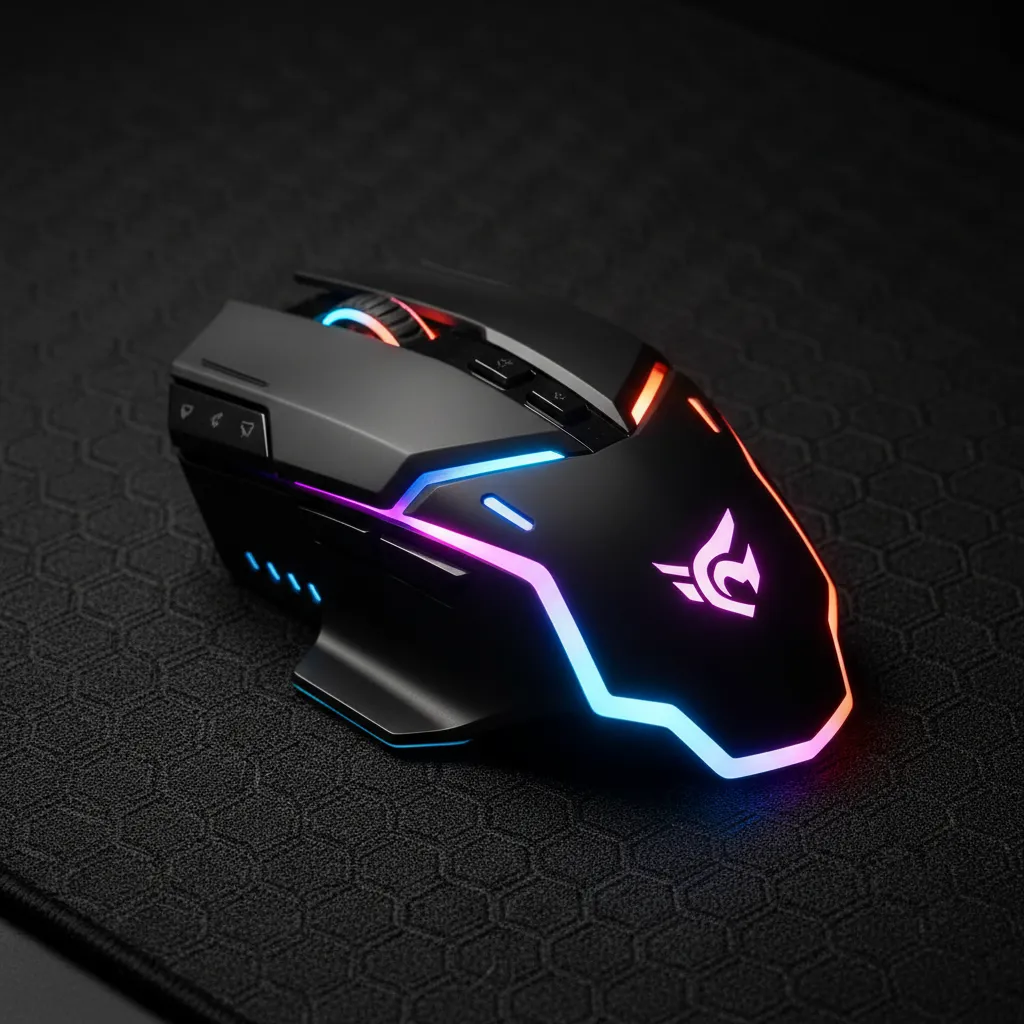
Rhythm clicking isn’t just about your fingers. Your mouse needs to cooperate.
A great mouse for this style should feel light and responsive. Heavy mice make fast, repetitive clicks tiring.
Think of it like drumming. You need a stick that lets you hit the snare quickly without strain.
For low ping Bedrock PvP, consistency is everything. A bad mouse can introduce input lag.
DPI and Polling Rate: The Technical Side
DPI, or dots per inch, affects how far your view moves with your hand.
Most rhythm clickers prefer a lower effective sensitivity for better control.
However, many pro players run high DPI (like 1600 or 3200) and lower it in game settings.
Polling rate is how often your mouse talks to your PC. Aim for 1000Hz if possible.
A higher polling rate means faster signal transmission, which helps sync your rhythm input.
You can read more about optimizing your hardware settings in our guide on Optimal Mouse DPI & Polling Rate for Minecraft PvP Aim.
Mousepad Surface and Grip Consistency
Your grip directly affects your ability to maintain a steady rhythm.
If your hand slips during a heated fight, your click timing breaks instantly.
Do you use a control surface or a speed surface?
Control pads slow your movement slightly, which can help precise, rhythmic taps stay on target.
Speed pads let you whip around, but require more grip strength to stay consistent.
Grip Styles and Their Impact on Rhythm
The three main grips are Palm, Claw, and Fingertip. Each one impacts your clicking style.
- Palm Grip: Offers full contact and stability. Great for consistent, slower rhythms.
- Claw Grip: Provides good arch support for quick, moderate clicking speeds.
- Fingertip Grip: Best for jitter or butterfly clicking, offering maximum finger articulation for very high CPS.
Finding the right pad is crucial. Check out tips on choosing one for your setup here.
Software Tweaks for Pure Input
Sometimes the operating system interferes with clean input timing.
We need to eliminate anything that creates delay between the click and the game registering it.
One common culprit is mouse acceleration. This setting changes cursor speed based on how fast you move the mouse.
In PvP, this messes up muscle memory built from rhythm clicking.
It is almost universally recommended to disable this feature both in Windows and in any mouse driver software.
This ensures a linear, predictable relationship between physical movement and in-game reaction.
If you are struggling with timing because your aim feels slippery, checking for aim acceleration issues in Bedrock is vital.
Learn more about that fix here: How to Disable Aim Acceleration on Minecraft Bedrock.
To summarize how hardware relates to your rhythm success, look at this comparison:
| Hardware Element | Impact on Rhythm Clicking | Recommended Action |
|---|---|---|
| Mouse Weight | Fatigue and click endurance | Lighter is usually better for speed |
| Polling Rate | Input reporting speed (Latency) | Set to 1000Hz |
| Mouse Acceleration | Inconsistent distance per click effort | Disable completely |
When your gear is perfectly tuned, the rhythm becomes pure physics. Are you ready to focus solely on your timing?
Mastering the Beat: Final Takeaways for Bedrock Combat
So, Bedrock PvP is totally different from Java. Forget just spamming that mouse button!
The real secret sauce here is rhythm. You need to match your clicks to the weapon’s attack cooldown.
Trying to hit way faster than necessary just wastes clicks and ruins your flow.
Keep your ping low so your perfect rhythm actually syncs up with the server.
Focus on that consistent, predictable timing. That is how you truly win battles in Bedrock!
Frequently Asked Questions
Why can’t I just click as fast as possible in Bedrock PvP?
Bedrock has a fixed attack cooldown after every hit you land.
If you click too fast, the server ignores those extra clicks because the cooldown hasn’t finished yet.
This means speed over the cooldown limit is wasted effort.
What is the sweet spot for CPS in Bedrock sword fighting?
For a standard sword hit, the sweet spot is usually around 5 to 7 CPS for basic timing.
If you have excellent low ping, you might push this to 8-11 CPS for optimal rhythm.
Anything much higher often results in many dropped hits.
How does low ping help my rhythmic clicking?
Low ping means your button presses register almost instantly on the server.
This allows you to execute the precise, rhythmic timing you practice offline without network delay.
High ping makes you miss the perfect swing window, even if you feel like you timed it right.
What are game ticks in Bedrock and why do they matter?
Minecraft runs on ‘ticks,’ which are time units. Bedrock has 20 ticks every second.
Since one tick is only 0.05 seconds, the attack cooldown is measured in these ticks.
Understanding this helps you realize how fast you need to match your rhythm to the game’s internal clock.

