Tired of getting locked in endless combos? Micro strafing is your secret weapon.
Think of it like a boxer dodging punches-tiny movements that make enemies miss.
Let’s master the art of the perfect dodge and win more fights today.
Key Takeaways
- Micro strafing exploits Bedrock’s 50ms server tick rate to confuse auto-aim.
- Rapidly tap A and D while holding W to shift your hitbox without losing speed.
- Use a high sensitivity (80-120%) to track targets during fast directional changes.
- This technique disrupts knockback patterns, preventing enemies from locking combos.
- Micro strafing is best for close-quarters duels where precision beats raw speed.
Understanding the Micro Strafe Advantage in Bedrock PvP (The ‘Why’)
Why Micro Strafing Changes Everything
The first question every player asks is, “Why bother with such a tiny movement?”
PvP in Minecraft Bedrock is all about hitting the sweet spot on your opponent.
If they can land hits consistently, you lose.
Micro strafing is your primary defensive tool against perfect enemy aim and aim assist.
Think of this technique less like a full sprint and more like constantly slipping and weaving, like a boxer dodging punches.
This subtle, rapid movement confuses the auto-aim mechanics common in Bedrock.
It throws off the enemy’s timing by just a few crucial ticks.
The Advantage: Messing with Momentum
Bedrock combat relies heavily on hitting the player squarely to maintain momentum and chain consecutive hits.
When you micro strafe, you are forcing your opponent to constantly adjust their mouse or thumbstick input by small amounts.
These tiny pixel corrections are incredibly difficult to make when they are also focused on hitting you back.
If they miss even one hit due to your movement, the combo breaks, and the control shifts instantly to you.
This focus on subtle evasion and positioning ties directly into learning how to master advanced vertical knockback & spacing techniques.
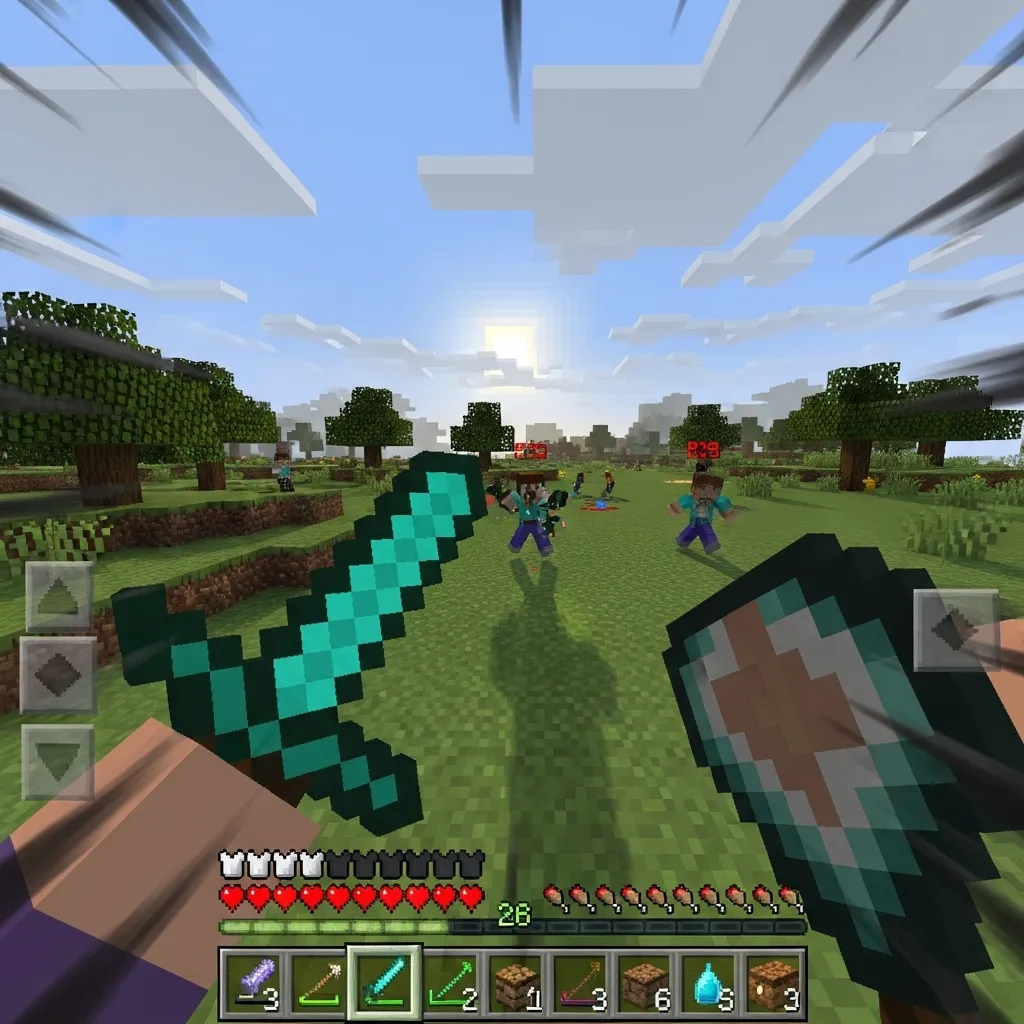
Knockback Control and Hit Selection
A major advantage of using micro strafes is how they interrupt knockback patterns.
You slightly reduce the total linear knockback you receive by rapidly changing your horizontal direction.
This disruption prevents the enemy from achieving a stable “combo lock” where they just click and let the game physics keep you in range.
You are deliberately moving yourself out of their maximum hit range for milliseconds at a time.
You must focus on making sure every one of your hits counts while simultaneously avoiding theirs.
This tactical skill is similar to mastering Hit Selecting and S-Tapping.
A bar chart illustrating the primary skill focus for competitive Bedrock players: Movement (45%), Aim Consistency (35%), Inventory/Utility (10%), and Raw CPS/Block Hit (10%).
Bedrock Specifics: Why Tiny Movements Win
Micro strafing is exceptionally effective because of the specific engine differences in Bedrock Edition.
Movement in Bedrock is often more responsive and “snappier” than its Java counterpart.
The precise, rapid inputs of a micro strafe exploit this responsiveness.
If you are constantly twitching your movement keys, the Bedrock hit detection struggles to register a smooth, stable surface to maintain a combo.
It forces the opponent to play perfectly just to counteract your tiny, jittery input.
If you find yourself often taking heavy, unavoidable combo damage, micro strafing is your immediate answer.
It is a critical defensive movement technique.
What small movement adjustment have you found most effective in avoiding damage during intense 1v1 fights?
Bedrock Hit Registration: The Tick Rate and Jitter Mechanics
The Bedrock Tick Rate: Your Invisible Timer
If you want to master micro-strafing, you must first understand the server tick rate.
Imagine the Minecraft world isn’t running constantly, but updating in short, rapid bursts.
In Bedrock PvP, the server typically runs at 20 ticks per second (TPS).
This means the game refreshes, checks positions, registers hits, and applies damage exactly every 50 milliseconds.
Why does this timing matter? Because your micro-strafe has to happen within this tiny 50ms window to be effective.
You are trying to move your hitbox and then move it back before the next tick confirms the enemy’s attack.
Think of it as exploiting a pause button that only lasts for a fraction of a second.
Tick Rate vs. Human Reaction Time
The beauty of this technique is that you are moving much faster than a human can react.
Even the fastest professional gamer rarely has a reaction time under 150 milliseconds.
Since the server only checks every 50ms, your tiny, unpredictable movements are almost impossible for your opponent to consciously track.
If you want to know more about how these precision movements feed into your attack, check out our guide on how to master hit selecting and S-tapping.
Here is a quick comparison showing how fast the tick rate truly is compared to typical human action.
A bar chart comparing timings in milliseconds: Bedrock Server Tick (50ms), Competitive Gamer Reaction (150ms), and Average Human Reaction (250ms).
The Mystery of Jitter Mechanics
When players talk about “jitter” in Bedrock, they are referring to the slight desynchronization (desync) between your client and the server.
Every time you move, your computer tells the server, “I am here now.”
But because of network latency (ping) and the fixed tick rate, the server’s record of your location is always a few milliseconds behind your actual location.
Exploiting the Hitbox Uncertainty
Micro-strafing uses this lag and the tick rate to its advantage.
By flicking the strafe key (A or D) for a very short duration, you are causing your hitbox to “jump” slightly in the server’s eyes.
You are moving your hitbox out of the path of an incoming attack just before the server confirms that hit.
This tiny, rapid movement creates hitbox uncertainty for the enemy player.
If they are spam clicking or trying to maintain a combo, your micro-strafe can force their mouse cursor off your center mass.
It acts like a minor, intentional lag spike that only benefits your movement.
This precision is why you also need to understand other advanced movement techniques like counter strafing to maximize your defensive mobility.
The goal is not to move far, but to move just enough to shift your coordinates outside the enemy’s registered hit vector for that critical 50ms tick.
If the game updates only 20 times per second, how much can a player truly rely on raw reaction speed, rather than prediction, to win a fight?
Mastery: Inputs, Controls, and Required Sensitivity
The Key Inputs for the Micro Strafe
Think of micro strafing not as sprinting, but as dancing right on the edge of a sprint.
This technique relies on incredibly fast, tiny movements that manipulate your hitbox and confusingly shift your enemy’s camera.
The core input sequence is simple, but the timing is difficult to master.
You must continuously hold the forward key (W) while rapidly tapping the strafe keys (A and D) one after the other.
You are essentially wiggling back and forth so quickly that you barely slow down from a full sprint.
For PC players, this feels like drumming your fingers lightly and quickly on A and D while W is held down firmly.
If you hold the strafe key for too long, you lose too much momentum. If you don’t tap quickly enough, you become predictable.
Controller vs. Keyboard Timing
Bedrock players often use controllers, which makes micro strafing feel slightly different than on PC.
On a controller, you are flicking the left stick left and right very rapidly while simultaneously pushing it forward.
This stick movement needs to be minute. You should only move the stick just enough to register the directional change.
The key to success, regardless of your input device, is finding your personal “wiggle rhythm.”
Practice this rhythm during Minecraft PvP practice drills to make it entirely second nature in a high-stakes fight.
Finding Your Perfect Sensitivity Sweet Spot
Micro strafing requires two conflicting things: stability for perfect aim and high speed for rapid turns.
If your sensitivity is too low, you cannot perform the necessary quick horizontal camera adjustments while moving laterally.
If it’s too high, your crosshair will jump wildly every time your movement shifts directions, making aiming impossible.
The ideal sensitivity allows you to quickly turn 90 degrees with a short flick of your mouse or a quick push of the controller stick.
Many top Bedrock PvP players prefer a high sensitivity setting, often ranging from 80% to 120% in-game.
This setting helps you swiftly adjust your camera to keep the opponent centered during your tiny, unpredictable lateral shifts.
Sensitivity Comparison for PvP
To give you an idea of what other competitive players use, here is a general breakdown of preferred sensitivity ranges:
A bar chart showing the breakdown of preferred in-game sensitivity ranges: Low (10%), Medium (40%), and High (50%).
You can see that a majority of high-level players choose Medium or High settings to ensure they can track and respond to quick enemy movements.
If you feel your current settings are too slow, learn how to find the best Minecraft PvP sensitivity for perfect aim before trying this advanced technique.
Optimizing Keybinds for Rapid Movement
Your keybinds are crucial for executing the micro strafe successfully, especially when you need to layer in other inputs like crit jumping.
When micro strafing, your fingers are already very busy pressing W, A, and D in a rapid sequence.
This means your jump key (usually Spacebar) and your attack key (Left Click) must be easily accessible simultaneously without strain.
If you incorporate W-tapping, you must weave that rhythm into your A/D strafe taps.
It sounds like a lot to juggle, but with dedicated training, the required combination of inputs truly becomes fluid muscle memory.
Micro Strafe Input Checklist
Here is a list of the core inputs you need to execute the micro strafe successfully:
- Maintain the Forward input (W or Left Stick Up) constantly.
- Rapidly alternate Strafe Left (A) and Strafe Right (D) with very short taps.
- Maintain a consistent attack rhythm (Left Click/Right Trigger).
- If possible, control your vertical movement (Jump/Space) to attempt critical hits without losing rhythm.
The goal is to keep maximum sprint speed while your hitbox is constantly shifting laterally by just a fraction of a block.
The difference between a micro strafe and a normal strafe is the speed and the minute size of the movement.
Micro is tiny, fast, and constantly fluctuating. Normal strafing is a longer, sustained run to one side.
Considering the need for precise, high-speed input taps, how often should a player practice pure movement drills versus practicing micro strafing during real 1v1 engagements?
Comparing Strafe Techniques: Micro vs. Standard vs. Jitter
The Core Difference: Movement Size
In Bedrock PvP, strafing is how you mess up your opponent’s aim.
But not all strafes are the same. Think of them as different levels of dance moves.
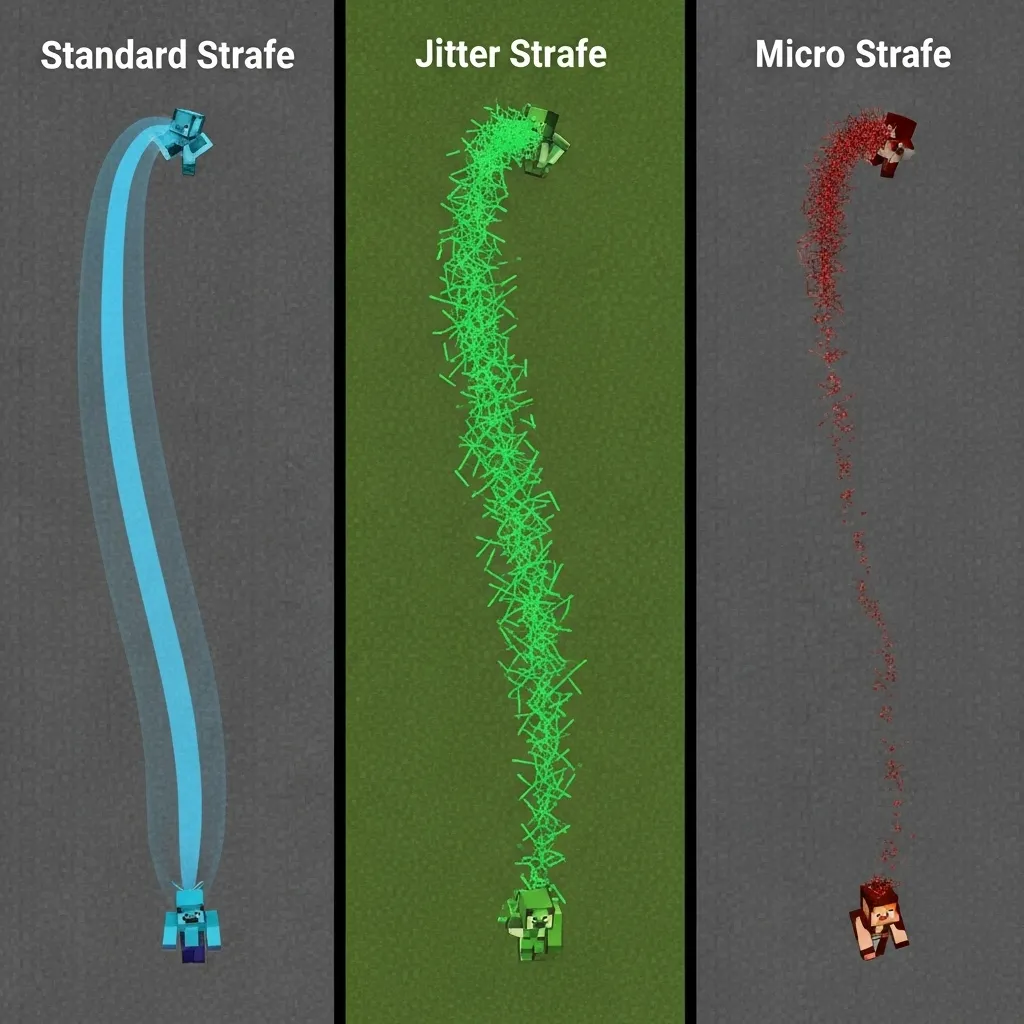
The main difference between Standard, Jitter, and Micro strafing is how much ground you cover.
It’s about trading movement speed for precision control and aim consistency.
Standard Strafe: The Classic Dodge
The Standard Strafe is what everyone learns first. It’s simple alternating between A and D keys.
You cover a lot of distance, forcing your enemy to drag their mouse across a wide area.
This is great for creating space or dodging attacks from a distance.
However, if you are fighting close up, a Standard Strafe is very predictable.
Your opponent can easily mirror your movement and keep you locked in a combo.
Jitter Strafe: Max Speed, High Risk
Jitter Strafe involves spamming your A and D keys incredibly fast and irregularly.
It gets its name because your character seems to “jitter” back and forth quickly.
The goal is pure chaos. It makes it extremely hard for opponents to lock onto your hitbox.
This technique often requires mastering high click rates, sometimes involving specialized challenges like the Jitter Click Test.
The downside? It’s exhausting, and if your timing is off, you might accidentally stand still for a crucial moment.
Micro Strafe: The Precision Advantage
Micro Strafe is the sweet spot of control. It is tiny, precise, and fast input bursts.
Instead of pressing A or D fully, you tap them just enough to shift your character a few pixels.
You barely move outside your enemy’s crosshair, yet you disrupt their lock-on every time you tap.
This movement is specifically designed to maximize your damage output while minimizing knockback intake.
Choosing the Right Strafe for the Fight
Deciding which strafe to use depends entirely on the distance and the enemy’s skill level.
Micro Strafe excels in close-quarters duels where precision hits are necessary.
If you are trying to break free from a combo or create distance, Standard Strafe is better.
If you want to maximize confusion and can handle the input speed, Jitter is your choice.
You must also consider how to counter strafe, as every advanced movement has a built-in defense.
Comparative Strafe Metrics
We can look at these three methods based on three key PvP metrics: Effectiveness, Difficulty, and Stamina Drain.
The data below suggests that for high-level Bedrock PvP, Micro Strafe offers the most technical advantage.
But remember, higher advantage usually means higher complexity in execution.
A bar chart comparing the effectiveness score (out of 10) of three strafe techniques: Standard (4.5), Jitter (7.0), and Micro (9.5).
Here is a quick summary of the strengths and weaknesses of each technique:
| Technique | Primary Goal | Pros | Cons |
|---|---|---|---|
| Standard Strafe | Horizontal Distance/Space | Easy to perform, low physical strain. | Predictable, easy to combo against. |
| Jitter Strafe | Disruption/Chaos | Highly confusing for opponents, fast lateral movement. | High stamina drain, poor aim control for the user. |
| Micro Strafe | Precision Aim/Knockback Reduction | Maximizes user aim, minimizes opponent disruption. | High mechanical skill floor, minimal room for error. |
Considering the high demand for precision in Micro Strafe, how much time do you think a player should dedicate to specific movement practice drills versus actual PvP matches?
Mastering the Dance of Evasion
If there’s one thing to take away from mastering micro strafing, it’s this: tiny movements lead to massive defensive gains.
Forget relying on brute force or raw clicking speed. Bedrock PvP is a game of timing, positioning, and exploiting those critical 50-millisecond server ticks.
Micro strafing isn’t just wiggling. It’s deliberately moving your hitbox out of the path of a confirmed hit before the server even has a chance to register it.
It takes practice, especially finding that perfect rhythm on your A and D keys, or that minimal flick on your controller stick.
But once you nail it, you’ll stop taking those punishing combos. You’ll become the slippery boxer, constantly dodging the punches.
Adjust your sensitivity, dedicate time to drill the input, and watch your defensive game instantly level up. Get out there and start dodging!
Frequently Asked Questions
What is the main purpose of micro strafing in Bedrock PvP?
Micro strafing is your core defensive tool.
It confuses enemy aim, especially aim assist, and breaks opponent combos by forcing them to make tiny, rapid crosshair adjustments.
It helps you stop the combo lock.
How does micro strafing work with the server tick rate?
The Bedrock server checks hits and positions every 50 milliseconds (20 ticks per second).
Micro strafing involves moving your hitbox out of the enemy’s path and back within that tiny 50ms window.
This movement is too fast for human reaction, effectively exploiting the game’s timing mechanics.
Should I use high or low sensitivity for micro strafing?
You should generally use high sensitivity, often 80% to 120% in-game. This high setting allows you to make the quick, necessary horizontal camera adjustments.
It ensures you can track your opponent while your character is constantly shifting directions.
What inputs do I use for micro strafing on PC?
Hold your forward key (W) and rapidly tap the strafe keys (A and D) one after the other. It should feel like drumming your fingers lightly and quickly.
The goal is to register the directional change without losing forward momentum.

