Tired of enemies surviving your attacks? The flat fireball is the secret to sending them straight into the void.
We break down the perfect angle, timing, and hotkeys to help you master this essential Bedwars skill instantly.
Key Takeaways
- Aim at the enemy’s feet or the block below them for maximum horizontal knockback.
- Time your click when the opponent is roughly two blocks away.
- Bind your fireball to an accessible hotkey like R or a mouse button.
- Lower your eDPI to ensure pixel-perfect aiming precision.
- Always sprint while shooting to increase the knockback force.
Mastering the Flat Fireball: Angle, Timing, and Technique Breakdown
The flat fireball is not just about blowing up blocks. It’s a precise combat tool.
You want to launch your opponent sideways, not straight up into the air. If they go too high, they can recover using an Ender Pearl or bridging back.
The goal of the flat fireball is instant, horizontal elimination.
The Sweet Spot: Perfect Fireball Angle
Finding the correct angle is the single most important part of this technique.
If you aim straight at the enemy’s chest, you get good knockback, but they might just bounce backward onto the bridge.
If you aim straight down, the explosion happens beneath you, often hurting you more than them.
The perfect angle is a tight, downward slope. You want your crosshair pointing at the ground about two to three blocks in front of the enemy.
Think about aiming at their feet, or the block they are currently standing on.
This shallow angle ensures the explosion pushes them out and away from the nearest solid land.
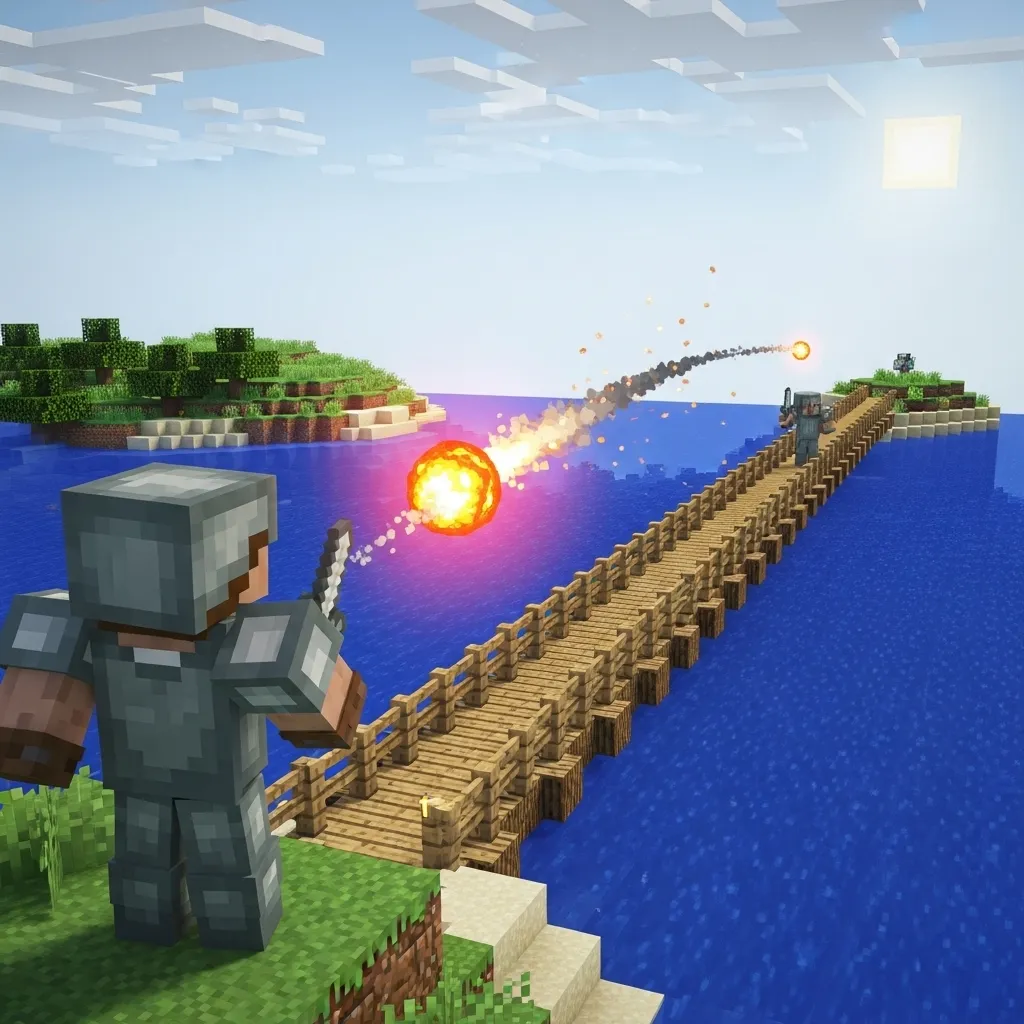
Timing the Ignition: The Anticipation Game
Timing is crucial because the fireball takes a split second to ignite after hitting a block.
You must click the fireball just before the moment of contact, anticipating where the enemy will be next.
If you are sprinting down a bridge at someone, you need to use the fireball when they are approximately 1.5 to 2 blocks away from your face.
This allows the knockback to fully hit them right as they are vulnerable at the edge of the explosion radius.
To master this, you need ultra-fast reaction time with your hotkeys. This chart shows why speed matters:
A bar chart showing estimated PvP reaction times for hotkey usage: Elite (150ms), Pro (200ms), Average (250ms), Beginner (350ms).
The smaller your reaction time, the more consistently you can execute this high-level move.
Advanced Flat Fireball Techniques
The “flat” knockback effect is usually maximized when both players are moving at high speed.
1. The Sprint-Tap Combo
The best way to use the flat fireball is while maintaining your sprint momentum.
Hit the fireball, and immediately right after the blast, execute a quick momentum break, like S-Tapping or W-Tapping.
This momentary pause in your movement helps you avoid getting caught in your own knockback.
It also lets you quickly re-orient for a follow-up action, like placing a block or grabbing your sword.
2. Fireball Hotkey Preparation
Always keep your fireballs on a comfortable, easily accessible hotkey (like 3 or 4).
This minimizes the distance your finger has to travel, saving precious milliseconds.
You need to be ready to swap from your sword, throw the fireball, and swap back to your sword in less than a second.
Practice swapping between these items hundreds of times until it feels like second nature.
Here is a list of common errors and how to fix them:
- Error: Aiming too high. Fix: Look further down-aim for the enemy’s feet.
- Error: Clicking too late. Fix: Anticipate their location; click when they are 2 blocks away.
- Error: Standing still. Fix: You must be sprinting to maximize the horizontal knockback effect.
How quickly can you swap from your primary weapon to a fireball and back? Does practicing your hotkey speed help you time the explosion better?
Essential Setup: Keybinds and Sensitivity for Precision
Keybinds: Instant Access is Everything
The flat fireball technique requires speed. You usually perform this move in a split second, often when you are running, jumping, or being chased.
If you have to fumble with the number keys (5, 6, 7), you are going to lose valuable time. The enemy will already be on your bridge.
You need to put the fireball on a slot that is instantly accessible, ideally a key near your WASD movement keys.
Many top Bedwars players rebind the standard inventory slots 1-9 to keys they can hit with their left hand, or bind items to mouse side buttons.
Consider remapping your Fireball hotbar slot to one of these common, effective options:
- R Key: Easy reach from W, perfect for instant access.
- Q Key (if Item Drop is rebound): If you move your item drop key, Q is a fantastic, large button for a panic item.
- Mouse Side Buttons: These are the fastest. Bind Slot 1 or 2 to a thumb button for maximum speed.
You can find the best layout for your specific style by exploring your guide to the best Minecraft PvP keybinds in 2025.
Sensitivity and DPI: Aiming the Tiny Target
A flat fireball requires aiming at the very bottom edge of a single block. This demands incredible micro-adjustments in your aiming hand.
If your sensitivity is too high, your crosshair will jump right over the target when you try to make that final small movement.
You need to find a sensitivity that lets you turn 180 degrees quickly (for defense) but still gives you pixel-perfect control (for offense).
Finding Your eDPI Sweet Spot
The competitive community often talks about eDPI, which is your physical mouse DPI multiplied by your in-game Minecraft sensitivity percentage.
For high-precision tasks like flat fireballs, professional players often use a lower eDPI range than those who focus purely on melee combat.
We recommend aiming for an eDPI between 4,000 and 8,000. For instance, 800 DPI multiplied by 0.50 (50% in-game sensitivity) equals 4,000 eDPI.
A bar chart showing recommended eDPI ranges: Flat Fireballs (4000), All-Purpose PvP (6000), and Close Combat (8000).
A lower eDPI forces you to use your whole arm for large turns.
This allows your wrist and fingers to focus only on those crucial tiny adjustments needed for a flat shot.
If you feel like your aim is shaky, try dropping your in-game sensitivity by 5% and test it again. Precision is better than raw speed for this trick.
If you want a detailed breakdown on setting this up, you can learn how to find the best Minecraft PvP sensitivity for perfect aim.
Mouse Polling Rate and Input Lag
Even if your keybinds and sensitivity are perfect, input lag can ruin your timing.
Input lag is the delay between clicking your mouse and the game reacting. When firing a flat fireball, milliseconds matter.
Ensure your mouse is set to the highest polling rate it supports (usually 1000 Hz).
A 1000 Hz polling rate means your mouse reports its position 1,000 times per second, greatly reducing the delay.
| Setting | Flat Fireball Goal | Recommended Value |
|---|---|---|
| Keybind Access | Immediate Item Swap | R or Mouse Button |
| Effective DPI (eDPI) | High Precision, Low Shake | 4,000 to 8,000 |
| Mouse Polling Rate | Minimize Input Delay | 1000 Hz |
By optimizing these three core settings, you eliminate excuses and ensure that when you miss, it is a human error-not a technical one.
What is one keybind adjustment you plan to make immediately to improve your access to crucial Bedwars items?
Tactical Use Cases: When to Flat Fireball in Bedwars
Mastering the Knockback Angle: The Void Push
A flat fireball isn’t just about blowing things up; it’s a precision tactic designed for the void.
You are intentionally sacrificing vertical damage for maximum horizontal knockback.
The most important time to use this technique is when an enemy is on a narrow bridge or near the edge of an island.
Because the explosion is kept low, almost all the force pushes them outward.
If you use a standard, higher-angle fireball, the force often launches them straight up.
This vertical launch gives them precious time to adjust, place a block, or use a tool like an ender pearl to recover.
The flat technique dramatically reduces their reaction time by sending them immediately into the abyss.
Defense Deconstruction and Griefing
You can also use flat fireballs to quickly dismantle small defenses without causing a huge vertical crater.
Think about those opponents who only place two layers of wool around their bed early in the game.
A typical, high-angle fireball might only punch a small hole in the top layer.
A flat fireball, however, explodes flush against the blocks, spreading the force widely.
This allows you to shave off entire layers horizontally, quickly exposing the bed beneath, especially if the defense is made of soft materials like wool or end stone.
The Data Behind Flat Knockback
Why is maximizing horizontal knockback so crucial in Bedwars?
Simply put, eliminating an enemy via the void is the most reliable way to secure a final kill and end their run quickly.
It skips complex PvP battles that rely on armor and weapons.
The flat fireball is a dedicated void-griefing tool.
A bar chart comparing the effectiveness of knockback vectors: Standard (Vertical) knockback results in an estimated 35% final kill rate via void, while Flat (Horizontal) knockback results in an estimated 65% final kill rate via void.
Strategic Comparison of Fireball Usage
Before you throw your fireball, you need to decide if you are trying to deal damage or inflict a tactical disadvantage.
This table helps illustrate when each method is most appropriate.
| Scenario | Best Technique | Primary Goal |
|---|---|---|
| Enemy on a narrow bridge | Flat Fireball | Void kill (Maximum horizontal displacement) |
| Breaching soft bed defenses | Flat Fireball | Shave off layers horizontally |
| Close-quarters fighting (Melee combo) | Standard Fireball | Deal damage/Vertical pop-up for critical hits |
| Clearing deep obsidian defense | Standard Fireball | Punch deep holes vertically |
Catching the Sneaky Flanker
Another excellent tactical situation involves dealing with enemy flankers or those trying to bridge from underneath.
If you see a player starting a bridge below your island, a standard fireball often sails right over them.
However, if you aim for the block they are standing on, a flat fireball will detonate low and push them straight off the newly placed blocks.
It’s perfect for canceling surprise rushes and dealing with players who are using unorthodox approaches, making it a critical skill for how to win bedwars against smart opponents.
Knowing when to deploy the flat fireball is just as important as knowing how to aim it.
It turns a chaotic explosion into a targeted elimination tool.
Are there any other situations where precision horizontal knockback outweighs simple explosive damage?
Mastering the Flat Fireball: Practice Drills and Server Guide
The Importance of Muscle Memory
Learning the flat fireball technique is not just about understanding the angle.
It’s mostly about building muscle memory. You need to train your hands and eyes to move perfectly at very high speeds.
If you don’t practice consistently, you might accidentally launch yourself straight up into the void when the pressure is intense.
We need drills that mimic the real-life situations you face in a Bedwars match.
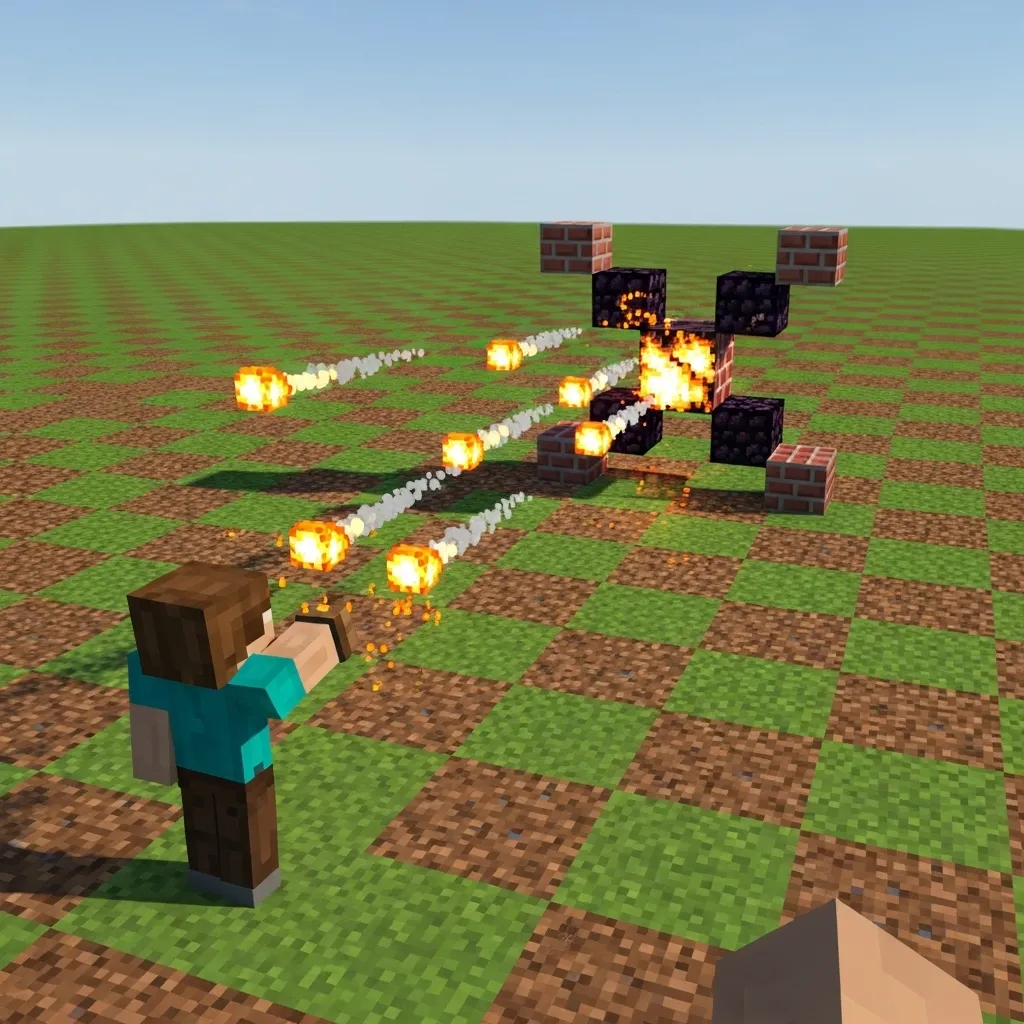
Drill 1: Static Fireball Targeting
Start with the basics in a quiet environment. Use a private server or a world editing map to set this up.
Place a single block about 10 blocks away from your starting point. This is your stationary target.
Your simple goal is to hit that block directly with a flat fireball, time after time.
Focus entirely on the camera angle and the precise moment you click the mouse button.
The resulting fireball must fly straight, almost completely flat, rather than arcing high up into the air.
Drill 2: The Bridge Gap Scenario
This is the practice that truly separates the casual players from the advanced ones.
Find two platforms separated by a large, empty gap-typically 10 to 15 blocks wide.
The mission is to run, jump, and use the flat fireball boost to cross the entire gap without falling.
This simulates rushing an enemy base or making a quick escape during a difficult chase.
If you can master this consistently, you are ready to use the skill successfully in real Bedwars games.
Practice different timing, such as the standing jump boost versus the full running boost.
Make sure you combine the fireball technique with advanced movements, like those taught in a guide on how to master jump resetting in Minecraft PvP.
Where to Practice: The Best Servers
While you can use single-player maps, specialized practice servers offer the best training environment.
These servers usually have specific modes and maps designed just for mastering game mechanics.
- Hypixel (Bedwars Practice Mode): The Hypixel server often features maps specifically created for practicing fireball jumping and fast bridging. Use these maps regularly.
- PVP Practice Servers: Search for servers focused purely on improving PvP mechanics. Many of these contain dedicated ‘Fireball Jumping’ lobbies.
- Private Lobbies: If you can, join a private lobby with teammates or friends. You can set up custom, difficult gaps and hold competitions to challenge each other.
Top players dedicate specific amounts of time to mechanical drills versus actual gameplay.
According to community statistics, players often spend a significant portion of their time refining their movements.
A pie chart showing that advanced players divide their time between Direct PvP Gameplay (35%), Bridging/Movement Drills (45%), and Utility/Item Practice (20%).
Notice that utility items like fireballs and ender pearls make up about 20% of serious practice time.
Don’t just jump into games; commit time to mastering these small, precise movements outside of the stress of a real match.
Fine-Tuning Your Aiming Settings
The flat fireball is a move that relies heavily on precision. This means your mouse sensitivity is extremely important.
If your sensitivity is too high, you might twitch and launch the fireball straight up instead of keeping it flat.
You need to find a comfortable balance.
Take some time to check your current setup and maybe follow a guide on optimal mouse DPI and polling rate for Minecraft PvP aim.
This perfect balance allows you to turn quickly for fights while maintaining the critical precision needed for the fireball launch.
Mastering this technique takes focused dedication, but the tactical advantages you gain are completely worth the effort.
A successful flat fireball saves your life, helps you rush bases in seconds, and frankly, looks incredibly cool when you pull it off.
How do you handle the high-pressure moment when you need a flat fireball to survive the final bridge fight?
Troubleshooting: Why Your Fireball is Flying Too High
You practiced the technique perfectly, yet every time you shoot, your fireball seems determined to fly straight up toward the moon.
This is one of the most frustrating parts of learning to flat fireball in Bedwars.
If your fireball is consistently arcing high, it means you are giving the projectile extra vertical velocity that you don’t intend to.
Here are the three main culprits behind a trajectory that is too high.
Mistake 1: Your Aim is Still Too High
Minecraft physics naturally give a slight upward launch trajectory to small thrown items, like fireballs and eggs.
The core of the flat fireball technique is intentionally aiming so low that this natural upward curve balances out with your aim.
Most players who fail the technique are still aiming too high.
You should not aim at the enemy’s feet, or even at the bottom line of the block they are standing on.
You need to aim where the block face meets the air-that thin line separating the block from the empty space below it.
Many pros aim slightly below that line, essentially aiming into the void, knowing the fireball will correct itself upwards.
Mistake 2: Jump and Momentum Stack
The flat fireball relies on you being still, or ideally, slightly falling.
If you launch the fireball while you are actively jumping, your upward momentum is added to the fireball’s launch velocity.
This causes the rocket effect, sending the projectile high over the target.
Always wait until you are completely stationary on the ground, or ideally, in the first moment of descent after a small jump, before clicking.
Precise movement control is crucial for mastering this, especially when combining it with complex vertical knockback and spacing techniques.
Mistake 3: High Latency (Ping)
Latency, or ping, is the delay between your action and the server registering it.
If your ping is high (say, over 100ms), you might click the fireball when you think you are standing still.
However, by the time the server processes that click, you might have moved forward, started a jump, or shifted your angle slightly.
The delay effectively means the fireball is launched from a position you left a fraction of a second ago.
If you have high ping, you must overcompensate by aiming even lower and ensuring you pause for a half-second before shooting.
Sometimes, high latency is unavoidable, but knowing how to use high ping advantage in other areas of PvP can help offset the frustration.
Troubleshooting Checklist
Use this checklist if your fireballs are still soaring:
- Verify Aim: Are you aiming at the bottom pixel edge of the block? Go even lower.
- Check Timing: Did you shoot immediately after clicking the jump key? You must wait until your character is fully grounded.
- The Stop Test: Run, then immediately stop and shoot. If the shot is flat, you know your problem is shooting while still carrying forward momentum.
- Practice Distance: Practice on targets that are only 5 blocks away. This helps you isolate the vertical aim without worrying about distance fall-off.
Remember, the flat fireball is an advanced move. It demands consistency and precision that you won’t get on the first try.
Keep training your crosshair placement until that ultra-low aim feels like the normal way to fire a projectile.
What subtle movement habits do you find hardest to break when trying to improve your PvP mechanics?
Elevate Your Endgame Strategy
Mastering the flat fireball isn’t about luck; it’s about precision engineering.
We’ve broken down the perfect angle-aiming low and forward-to guarantee that opponent flies horizontally into the void.
Remember that milliseconds matter. Tighten your timing and get those essential hotkeys moved to R or a mouse button.
If you commit to practicing that low eDPI and lightning-fast swap speed, this move will become second nature.
Go out there and start turning those vertical recoveries into instant, satisfying void kills. You got this!
Frequently Asked Questions
Why is the flat fireball angle better than a high-angle shot?
The flat angle maximizes horizontal knockback.
A high-angle shot launches the enemy upward, giving them time to recover with an Ender Pearl or by placing blocks.
The goal is instant elimination into the void.
How close should I be when timing a flat fireball?
You should aim to click the fireball when the enemy is about 1.5 to 2 blocks away from you. This anticipates the ignition delay.
Fast reaction time is key to making this timing consistent.
What is eDPI and what range is best for this technique?
eDPI is your mouse DPI multiplied by your in-game sensitivity percentage. It measures your overall sensitivity.
For high precision, aim for a lower range, specifically between 4,000 and 8,000 eDPI.
What hotkeys should I use for my fireballs?
You need instant access. Keys like R, Q (if rebound), or a dedicated mouse side button are highly recommended.
Avoid fumbling with slots 5, 6, or 7 during a sprint battle.

